> ## Documentation Index
> Fetch the complete documentation index at: https://docs.pinata.cloud/llms.txt
> Use this file to discover all available pages before exploring further.
# API Keys
This page is where you can create, record, and delete API keys for the [Pinata API](/api-reference/introduction). Creating an API key is very simple! Just visit the page to start by click on the API Keys button in the left sidebar, then click "New Key" in the top right.
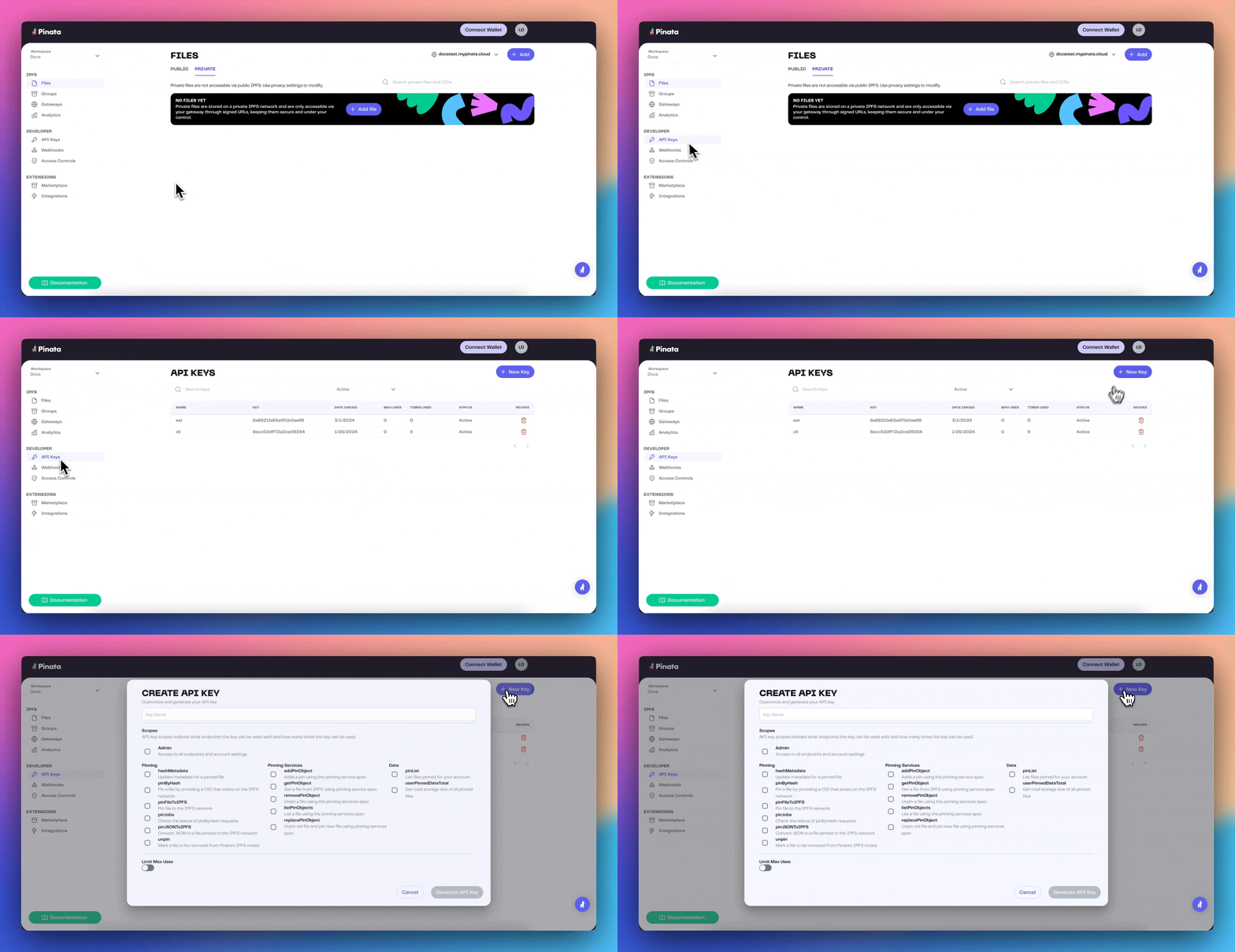 In the New Key modal you can choose if you want the key to be an Admin key and have full access over every endpoint, or scope the keys by selecting which endpoints you want to use. You can also give it a limited number of uses, and be sure to give it a name to keep track of it. Once you have that filled out click "Create Key" and it will show you the `pinata_api_key`, `pinata_api_secret_key`, and the `JWT`. It's best to click "Copy All" and keep the API key data safe and secure.
Once API keys have been created, you will not be able to see the secret or JWT again
Once you have created your keys you can go ahead and try testing them! You can even use them in our [API Reference section](/api-reference/endpoint/ipfs/test-authentication) :eyes: Or feel free to paste this into your terminal with your `JWT`
```bash cURL theme={null}
curl --request GET \
--url https://api.pinata.cloud/data/testAuthentication \
--header 'accept: application/json' \
--header 'authorization: Bearer YOUR_PINATA_JWT'
```
If successful you should see this!
```shell bash theme={null}
{
"message": "Congratulations! You are communicating with the Pinata API!"
}
```
## Managing Keys
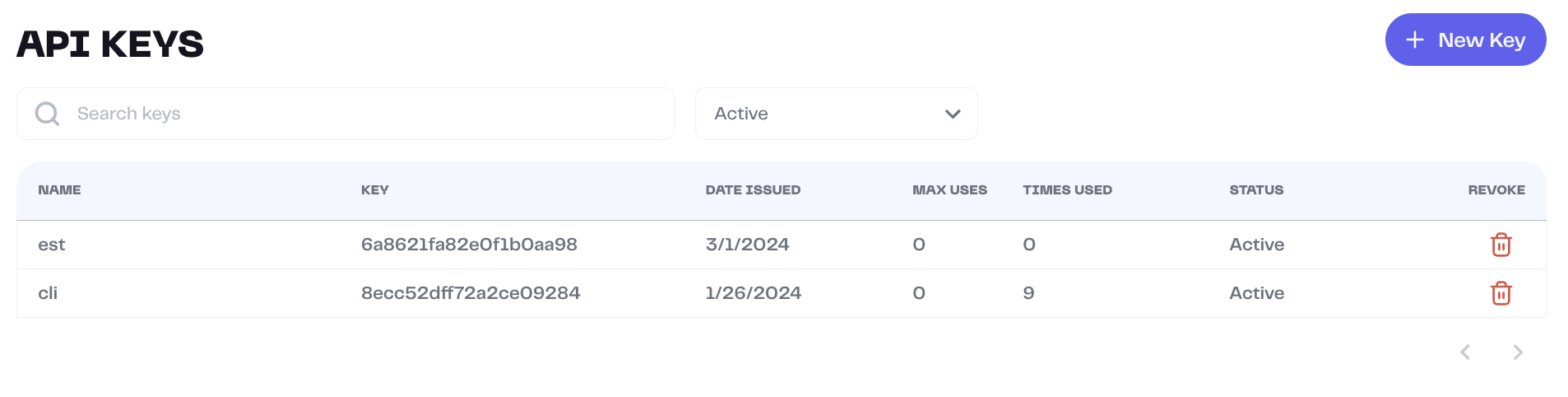
From the Keys Page you can see the name of a key, the public key, when it was issues, how many max uses it has, and what permissions it was given.
In the New Key modal you can choose if you want the key to be an Admin key and have full access over every endpoint, or scope the keys by selecting which endpoints you want to use. You can also give it a limited number of uses, and be sure to give it a name to keep track of it. Once you have that filled out click "Create Key" and it will show you the `pinata_api_key`, `pinata_api_secret_key`, and the `JWT`. It's best to click "Copy All" and keep the API key data safe and secure.
Once API keys have been created, you will not be able to see the secret or JWT again
Once you have created your keys you can go ahead and try testing them! You can even use them in our [API Reference section](/api-reference/endpoint/ipfs/test-authentication) :eyes: Or feel free to paste this into your terminal with your `JWT`
```bash cURL theme={null}
curl --request GET \
--url https://api.pinata.cloud/data/testAuthentication \
--header 'accept: application/json' \
--header 'authorization: Bearer YOUR_PINATA_JWT'
```
If successful you should see this!
```shell bash theme={null}
{
"message": "Congratulations! You are communicating with the Pinata API!"
}
```
## Managing Keys
From the Keys Page you can see the name of a key, the public key, when it was issues, how many max uses it has, and what permissions it was given.
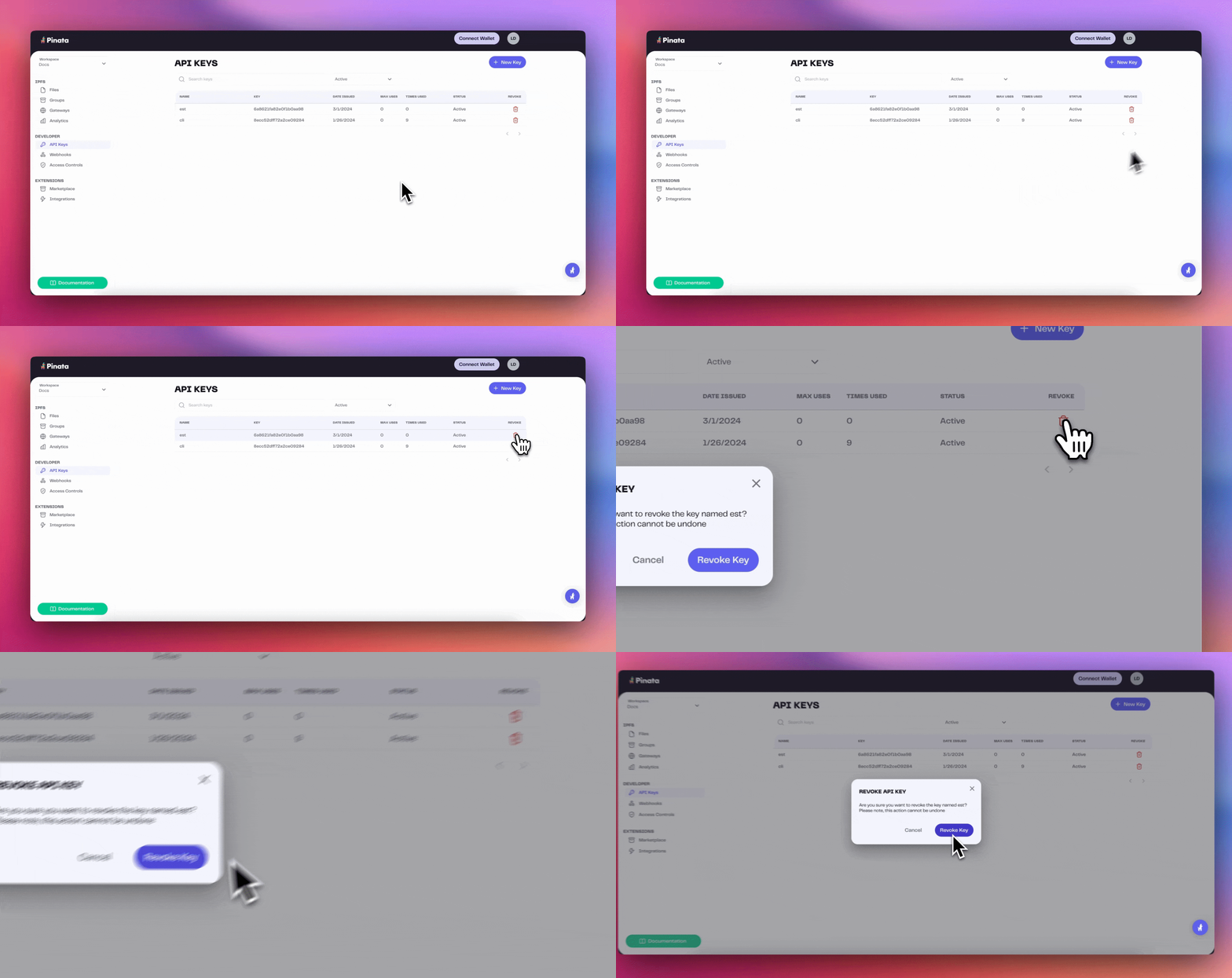
 At any point you can delete an API key by clicking on the Revoke button