> ## Documentation Index
> Fetch the complete documentation index at: https://docs.pinata.cloud/llms.txt
> Use this file to discover all available pages before exploring further.
# Console
> A real terminal inside your agent's container
The Console tab is a shell. You get an interactive prompt inside your agent's container, with the same workspace your agent reads and writes.
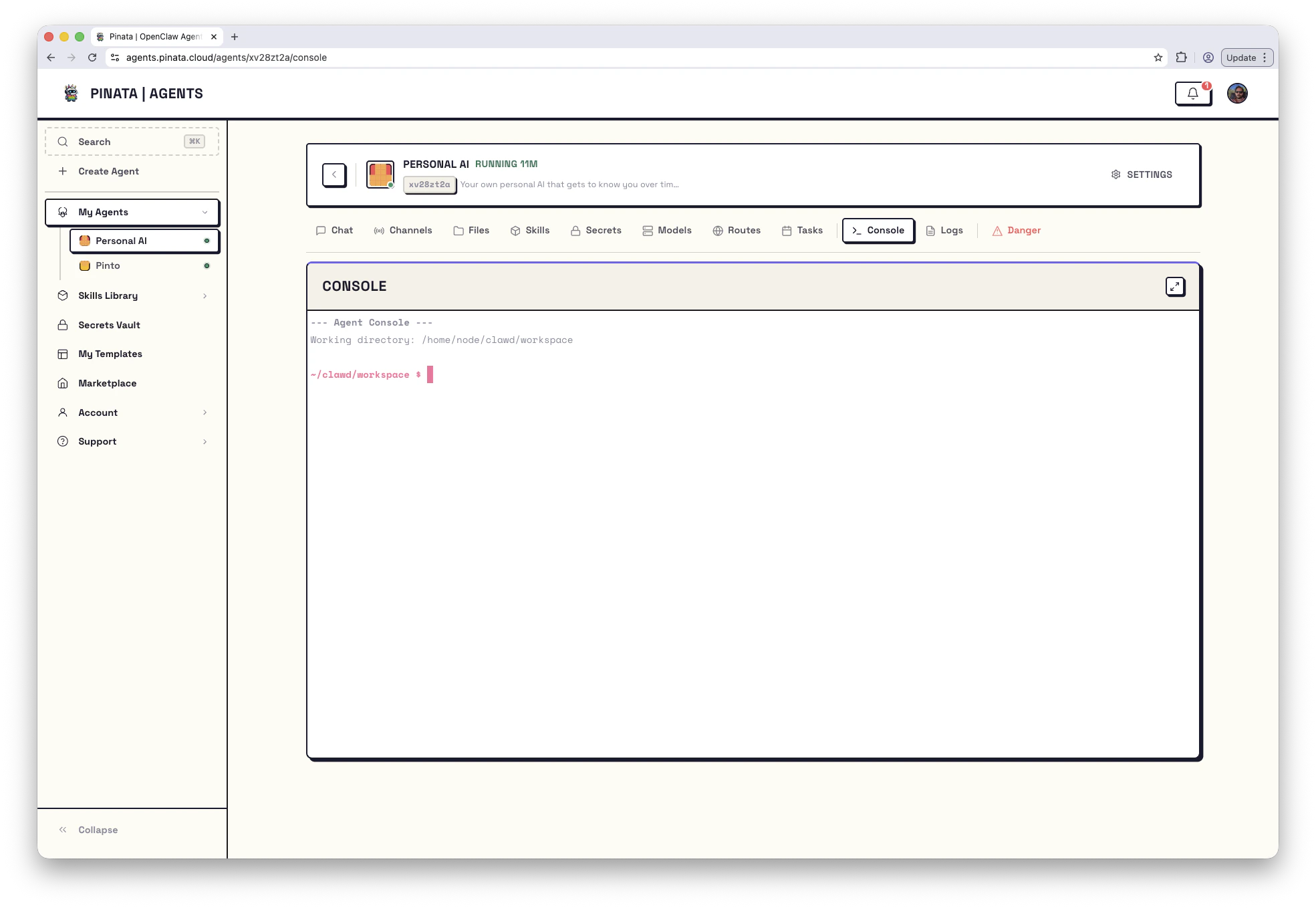 ```text theme={null}
--- Agent Console ---
Working directory: /home/node/clawd/workspace
~/clawd/workspace $
```
That example is an OpenClaw agent. Hermes agents use `/home/hermes/data/workspace`. The current path is also shown on the agent's [Danger](/agents/devtools) tab.
Anything you can do with a shell, you can do here:
* Run `bash`, `python`, `node`, `git`, `curl`, `jq`
* Tail log files: `tail -f /tmp/user-build.log`
* Check what the agent sees: `env | sort`
* Confirm a service is listening: `ss -tlnp`
* Edit a file with `vi` or `nano`
The session starts in the engine's workspace directory — the same workspace shown on the Files and Danger tabs. Skills live under `skills/`, uploaded files under `uploads/`.
The button in the top-right of the panel switches to fullscreen mode, which is much more pleasant for anything beyond a one-liner.
## When to reach for the Console
The Console is the second-best debugging tool, after Logs. Use it when:
* Logs show an error and you need to look at a file to understand it
* A lifecycle script failed and you want to read `/tmp/user-build.log` or `/tmp/user-start.log`
* You want to confirm a process is actually running (`ps aux | grep `)
* You want to reproduce a one-off command the agent ran
Quick checks worth knowing:
```bash theme={null}
# What did the build script say?
tail -n 200 /tmp/user-build.log
# What did the start script say?
tail -n 200 /tmp/user-start.log
# Latest OpenClaw log (OpenClaw agents)
ls -la /tmp/openclaw/
# OpenClaw runtime config
cat /home/node/.openclaw/openclaw.json
# Hermes runtime config
cat /home/hermes/data/config.yaml
# Manifest the agent is using
cat manifest.json
# Is anything listening on common dev ports?
ss -tlnp
```
For workflows by symptom, see [Troubleshooting](/agents/troubleshooting).
## Running a command from outside the UI
If you're scripting against an agent, hit the API:
Set `cwd` to the workspace path for that engine. For OpenClaw that's `/home/node/clawd/workspace`; for Hermes that's `/home/hermes/data/workspace`.
```bash theme={null}
curl -X POST \
-H "Authorization: Bearer $PINATA_JWT" \
-H "Content-Type: application/json" \
-d '{"command":"ls -la","cwd":"/home/node/clawd/workspace"}' \
https://agents.pinata.cloud/v0/agents/$AGENT_ID/console/exec
```
The response is JSON: `{ stdout, stderr, exitCode, command, timestamp }`.
Console access is full shell access. Anyone with the gateway token has it. Treat the token like a server credential.
```text theme={null}
--- Agent Console ---
Working directory: /home/node/clawd/workspace
~/clawd/workspace $
```
That example is an OpenClaw agent. Hermes agents use `/home/hermes/data/workspace`. The current path is also shown on the agent's [Danger](/agents/devtools) tab.
Anything you can do with a shell, you can do here:
* Run `bash`, `python`, `node`, `git`, `curl`, `jq`
* Tail log files: `tail -f /tmp/user-build.log`
* Check what the agent sees: `env | sort`
* Confirm a service is listening: `ss -tlnp`
* Edit a file with `vi` or `nano`
The session starts in the engine's workspace directory — the same workspace shown on the Files and Danger tabs. Skills live under `skills/`, uploaded files under `uploads/`.
The button in the top-right of the panel switches to fullscreen mode, which is much more pleasant for anything beyond a one-liner.
## When to reach for the Console
The Console is the second-best debugging tool, after Logs. Use it when:
* Logs show an error and you need to look at a file to understand it
* A lifecycle script failed and you want to read `/tmp/user-build.log` or `/tmp/user-start.log`
* You want to confirm a process is actually running (`ps aux | grep `)
* You want to reproduce a one-off command the agent ran
Quick checks worth knowing:
```bash theme={null}
# What did the build script say?
tail -n 200 /tmp/user-build.log
# What did the start script say?
tail -n 200 /tmp/user-start.log
# Latest OpenClaw log (OpenClaw agents)
ls -la /tmp/openclaw/
# OpenClaw runtime config
cat /home/node/.openclaw/openclaw.json
# Hermes runtime config
cat /home/hermes/data/config.yaml
# Manifest the agent is using
cat manifest.json
# Is anything listening on common dev ports?
ss -tlnp
```
For workflows by symptom, see [Troubleshooting](/agents/troubleshooting).
## Running a command from outside the UI
If you're scripting against an agent, hit the API:
Set `cwd` to the workspace path for that engine. For OpenClaw that's `/home/node/clawd/workspace`; for Hermes that's `/home/hermes/data/workspace`.
```bash theme={null}
curl -X POST \
-H "Authorization: Bearer $PINATA_JWT" \
-H "Content-Type: application/json" \
-d '{"command":"ls -la","cwd":"/home/node/clawd/workspace"}' \
https://agents.pinata.cloud/v0/agents/$AGENT_ID/console/exec
```
The response is JSON: `{ stdout, stderr, exitCode, command, timestamp }`.
Console access is full shell access. Anyone with the gateway token has it. Treat the token like a server credential.