> ## Documentation Index
> Fetch the complete documentation index at: https://docs.pinata.cloud/llms.txt
> Use this file to discover all available pages before exploring further.
# Templates
> Deploy pre-configured agents in one click
Templates are currently in beta.
Templates are the fastest path to a working agent. Instead of configuring everything yourself, you pick a template that does what you need — it ships with the right skills, settings, and personality already in place. You add your API keys, and you deploy.
 ## Where to look
Two places, depending on what you're after:
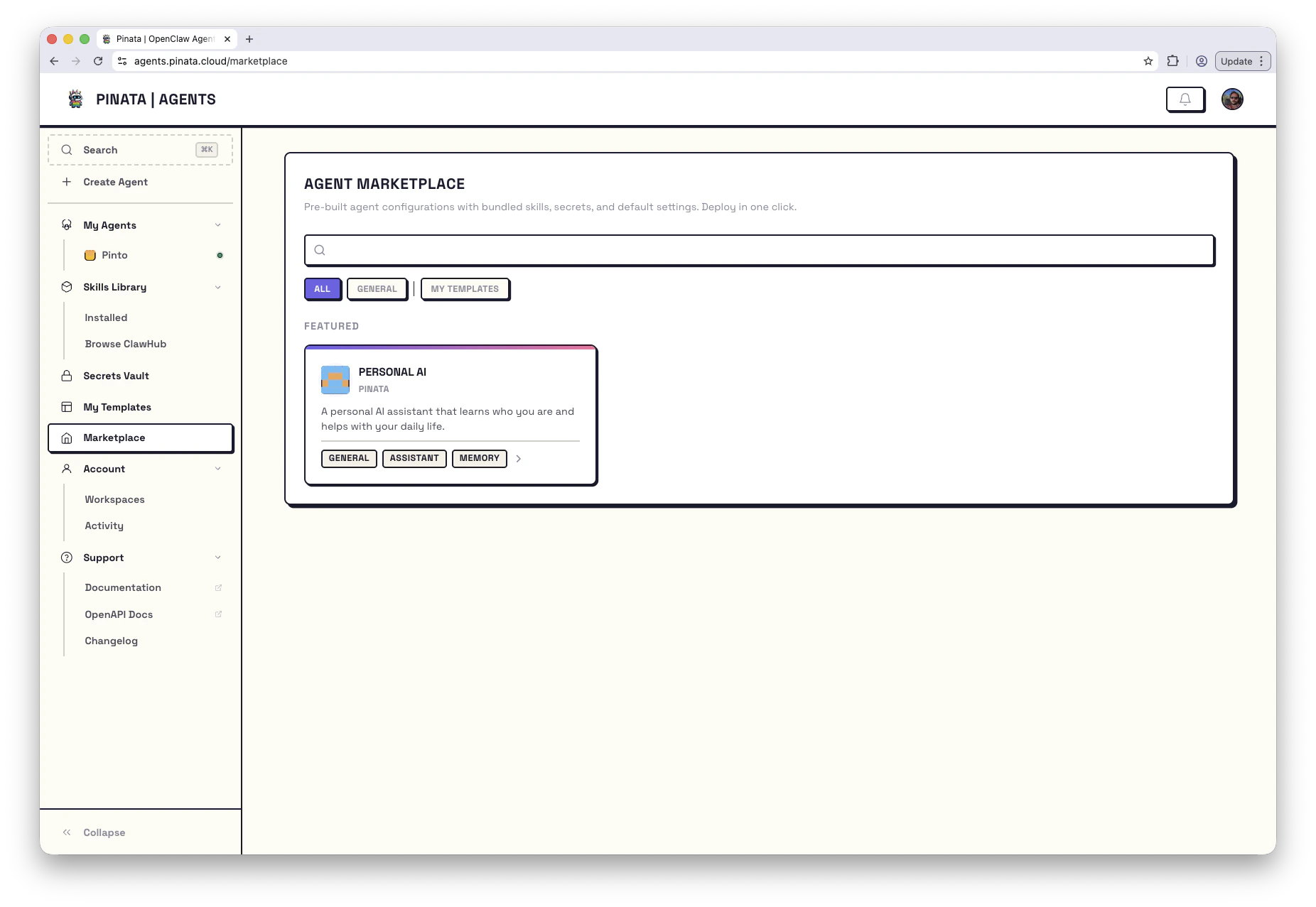
* [**Marketplace**](https://agents.pinata.cloud/marketplace) — every published template, from Pinata and from other builders. Filter by category, engine, or tags. Featured templates float to the top. Some are paid; those use x402 micropayments and you complete the purchase in flow.
* [**My Templates**](https://agents.pinata.cloud/templates) — templates you've created, submitted, or imported. The **New Template** card at the top-left lets you import one from a public GitHub or GitLab repo.
Click any template card to open its details — description, skills it bundles, secrets it'll ask you for, and any scheduled tasks it sets up.
## Deploying
Once you've found one you like:
1. Click **Deploy This Agent**
2. Name your agent
3. Provide whatever secrets the template asks for (usually just your LLM key)
4. **Deploy**
Provisioning takes about 30 seconds. You'll land on the agent's Chat tab, ready to talk to it.
### A note on secrets
Every template needs at least an LLM provider key (`ANTHROPIC_API_KEY`, `OPENAI_API_KEY`, etc.). Many need more — a Telegram template needs a bot token, a trading template might need exchange credentials.
The template card spells out exactly what it needs. You can add the secrets ahead of time in the [Secrets Vault](/agents/secrets), or wait — the deploy flow prompts you for anything missing.
## Using the CLI
```bash theme={null}
pinata agents templates list # Browse templates
pinata agents create --template # Deploy one
```
## Create Your Own
Built something useful? Package it as a template and share it with others - or just use it to quickly spin up copies of your own agents.
Walk through packaging your agent as a reusable template
Full reference for every field in `manifest.json`
Clone this starter repo - it includes working examples of routes, tasks, lifecycle scripts, and secrets.
## Where to look
Two places, depending on what you're after:
* [**Marketplace**](https://agents.pinata.cloud/marketplace) — every published template, from Pinata and from other builders. Filter by category, engine, or tags. Featured templates float to the top. Some are paid; those use x402 micropayments and you complete the purchase in flow.
* [**My Templates**](https://agents.pinata.cloud/templates) — templates you've created, submitted, or imported. The **New Template** card at the top-left lets you import one from a public GitHub or GitLab repo.
Click any template card to open its details — description, skills it bundles, secrets it'll ask you for, and any scheduled tasks it sets up.
## Deploying
Once you've found one you like:
1. Click **Deploy This Agent**
2. Name your agent
3. Provide whatever secrets the template asks for (usually just your LLM key)
4. **Deploy**
Provisioning takes about 30 seconds. You'll land on the agent's Chat tab, ready to talk to it.
### A note on secrets
Every template needs at least an LLM provider key (`ANTHROPIC_API_KEY`, `OPENAI_API_KEY`, etc.). Many need more — a Telegram template needs a bot token, a trading template might need exchange credentials.
The template card spells out exactly what it needs. You can add the secrets ahead of time in the [Secrets Vault](/agents/secrets), or wait — the deploy flow prompts you for anything missing.
## Using the CLI
```bash theme={null}
pinata agents templates list # Browse templates
pinata agents create --template # Deploy one
```
## Create Your Own
Built something useful? Package it as a template and share it with others - or just use it to quickly spin up copies of your own agents.
Walk through packaging your agent as a reusable template
Full reference for every field in `manifest.json`
Clone this starter repo - it includes working examples of routes, tasks, lifecycle scripts, and secrets.