> ## Documentation Index
> Fetch the complete documentation index at: https://docs.pinata.cloud/llms.txt
> Use this file to discover all available pages before exploring further.
# Deleting Files
Deleting files from Pinata is simple and easy!
## Deleting Programatically
The SDK has a very simple [delete](/sdk/files/public/delete) method that will allow you to delete an array of files by `id`. Alternatively you can delete a single file with the [API](/api-reference/introduction).
```typescript SDK theme={null}
import { PinataSDK } from "pinata";
const pinata = new PinataSDK({
pinataJwt: process.env.PINATA_JWT!,
pinataGateway: "example-gateway.mypinata.cloud",
});
const unpin = await pinata.files.public.delete([
"3c52f1b8-11b1-40d9-849d-5f05a4bbd76d",
"b72886db-9dd4-434c-a1b2-f9d36781ecee"
])
```
```typescript API {6,9,11} theme={null}
const JWT = "YOUR_PINATA_JWT";
async function delete() {
try {
const fileId = "e0b102e9-d481-4192-ab44-b8f7ff010e9a"
const request = await fetch(
`https://api.pinata.cloud/v3/files/public/${fileId}`,
{
method: "DELETE",
headers: {
Authorization: `Bearer ${JWT}`,
}
});
const response = await request.json();
console.log(response);
} catch (error) {
console.log(error);
}
}
```
### Deleting All Files
If you find yourself in a position where you need to delete most or all of your files you can use the [Auto Paginate](/sdk/files/public/list#auto-paginate) feature on the SDK to fetch all the IDs of your files and delete them in a few lines of code!
```typescript theme={null}
import { PinataSDK } from "pinata";
const pinata = new PinataSDK({
pinataJwt: process.env.PINATA_JWT!,
pinataGateway: "dweb.mypinata.cloud",
});
async function main() {
try {
let files = [];
for await (const item of pinata.files.public.list()) {
files.push(item.id);
}
const res = await pinata.files.public.delete(files);
} catch (error) {
console.log(error);
}
}
main();
```
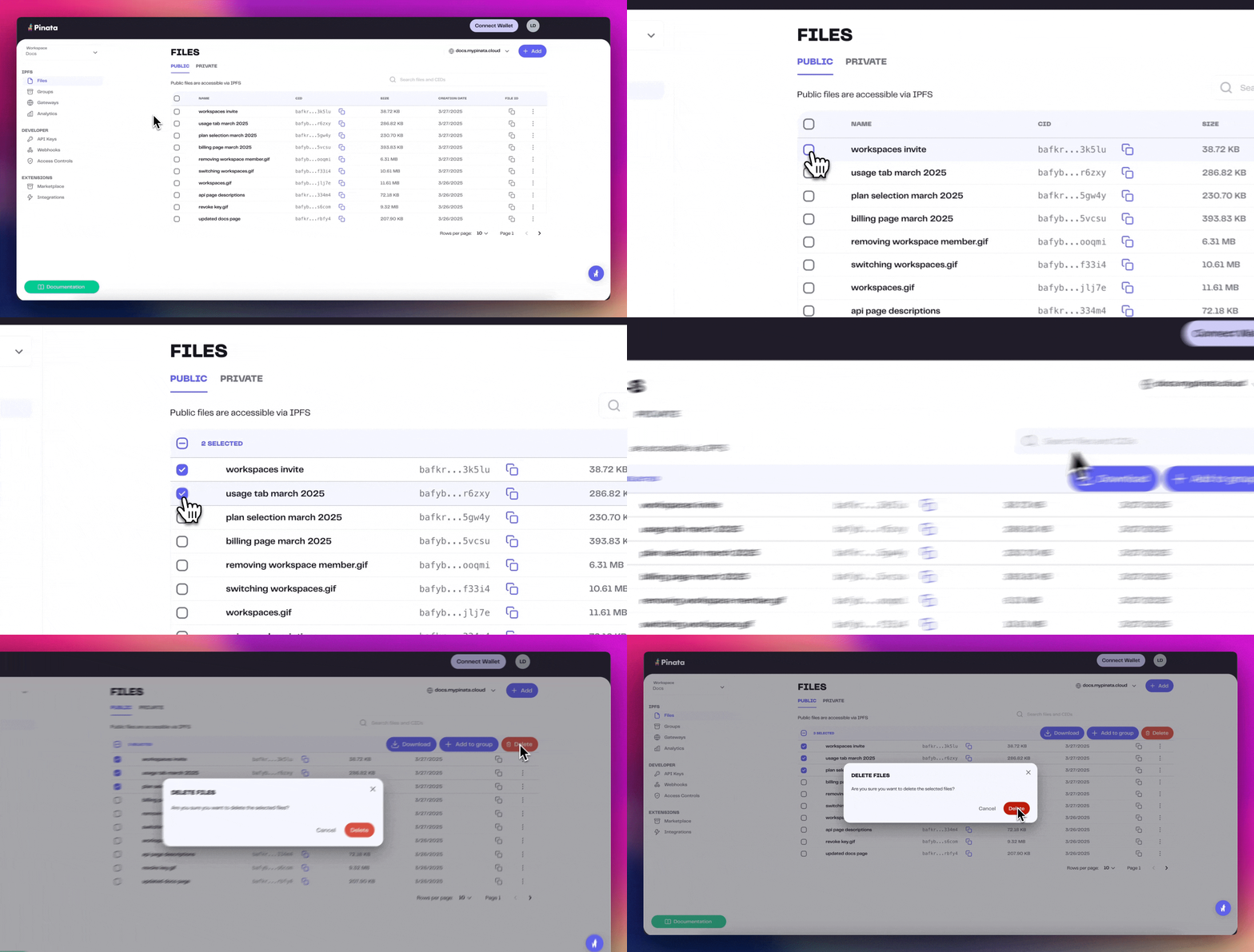
## Deleting by Web App
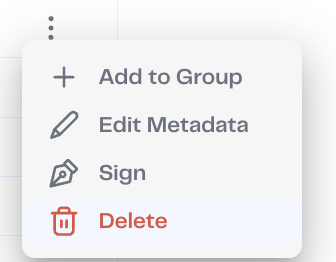
If you are trying to delete files, then you can do so by clicking on the on the 3 dots at the end of the row and selecting "Delete"
 Additionally, with our Bulk File Actions tool, you can select and manage multiple files at once - up to 100!