

manifest.json field reference, see the manifest reference.
Reference Template
Clone this starter repo to create your own template.
Clone the Starter
Fork or clone the reference template to get started:Configure manifest.json
The manifest defines your agent’s identity, required secrets, skills, scripts, routes, channels, tasks, and marketplace metadata. The starter ships with a _docs block documenting every field inline.
See the manifest reference for every field’s type, defaults, and limits.
Skills
Skills are objects with aname and either a clawhub_slug or a cid. Use clawhub_slug for marketplace skills — they’ll automatically resolve to the latest published version when someone deploys your template. Use cid to pin a specific uploaded skill by its IPFS CID for byte-stable behavior.
Example
A complete manifest that includes secrets, skills, lifecycle scripts, a web route, and a daily scheduled task:Customize Workspace Files
Files inworkspace/ are copied to the agent’s workspace on deploy. Customize these to define your agent’s personality and behavior:
Focus on
SOUL.md to give your agent a distinct personality, and BOOTSTRAP.md if you want a custom onboarding flow.
Add Web App Support (Optional)
If your agent runs a server, API, or frontend dev server, add two things tomanifest.json:
scripts- lifecycle hooks that install deps and start the serverroutes- port forwarding rules that expose the server to the internet
build- Runs once after deploy or git push (e.g.npm install, compile). Executes from/home/node/clawd. Output logged to/tmp/user-build.log. 5 min timeout. If build fails, start does not run.start- Launches a long-running background process after build completes (e.g. a web server). Executes from/home/node/clawd. Output logged to/tmp/user-start.log. Runs detached so it survives the runner exiting.- Retry scripts - To re-run the build/start lifecycle (e.g. after pushing changes that didn’t trigger a build), use the Retry Scripts action on the Danger tab or call
POST /v0/agents/{agentId}/scripts/retry. - Your server must bind to
0.0.0.0, notlocalhost, or it won’t be reachable - Set
protected: falsefor public routes, ortrueto require a gateway token - Use
__AGENT_HOST__as a placeholder in config files - replaced at runtime with the agent’s public hostname - For WebSocket/HMR setups (e.g. Vite), connect via WSS on port 443 through
__AGENT_HOST__
Deploy From Your Template
You can deploy an agent from your template before submitting it to the marketplace. This is the fastest way to iterate. Via the UI:- Go to agents.pinata.cloud/agents and click Create Agent
- Select Start from a Template
- Paste your public repository URL (GitHub or GitLab)
- Complete the setup flow and deploy
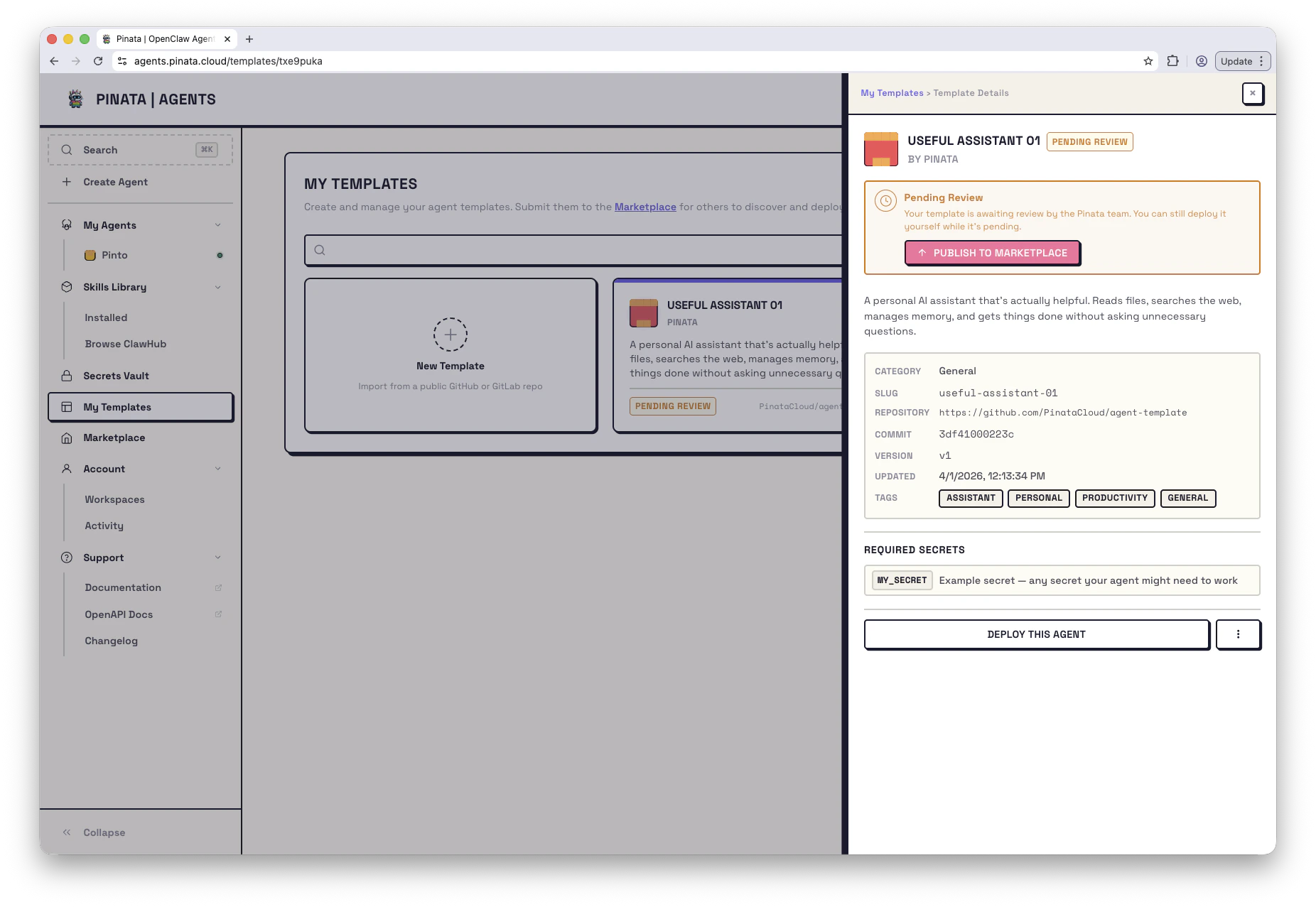
Submit to Marketplace (Optional)
Share your template with the community by submitting it for review. Via the UI:- Go to My Templates → + New Template
- Enter your public repository URL
- Click Validate to check for required files
- Review the parsed manifest and workspace files
- Click Submit to send for review
- draft → pending_review → published (or rejected)
- Published templates can be archived (soft-deleted) and resubmitted later
Managing Submissions
Track and update your templates in My Templates or via CLI:Paid Templates
Templates submitted with a paid tier use x402 micropayments for one-time purchase. Buyers pay before deploy; once paid, the template behaves like any other in their account. Mark a template as paid in thetemplate block of manifest.json - see the manifest reference for the full schema.