Documentation Index

Fetch the complete documentation index at: https://docs.pinata.cloud/llms.txt

Use this file to discover all available pages before exploring further.

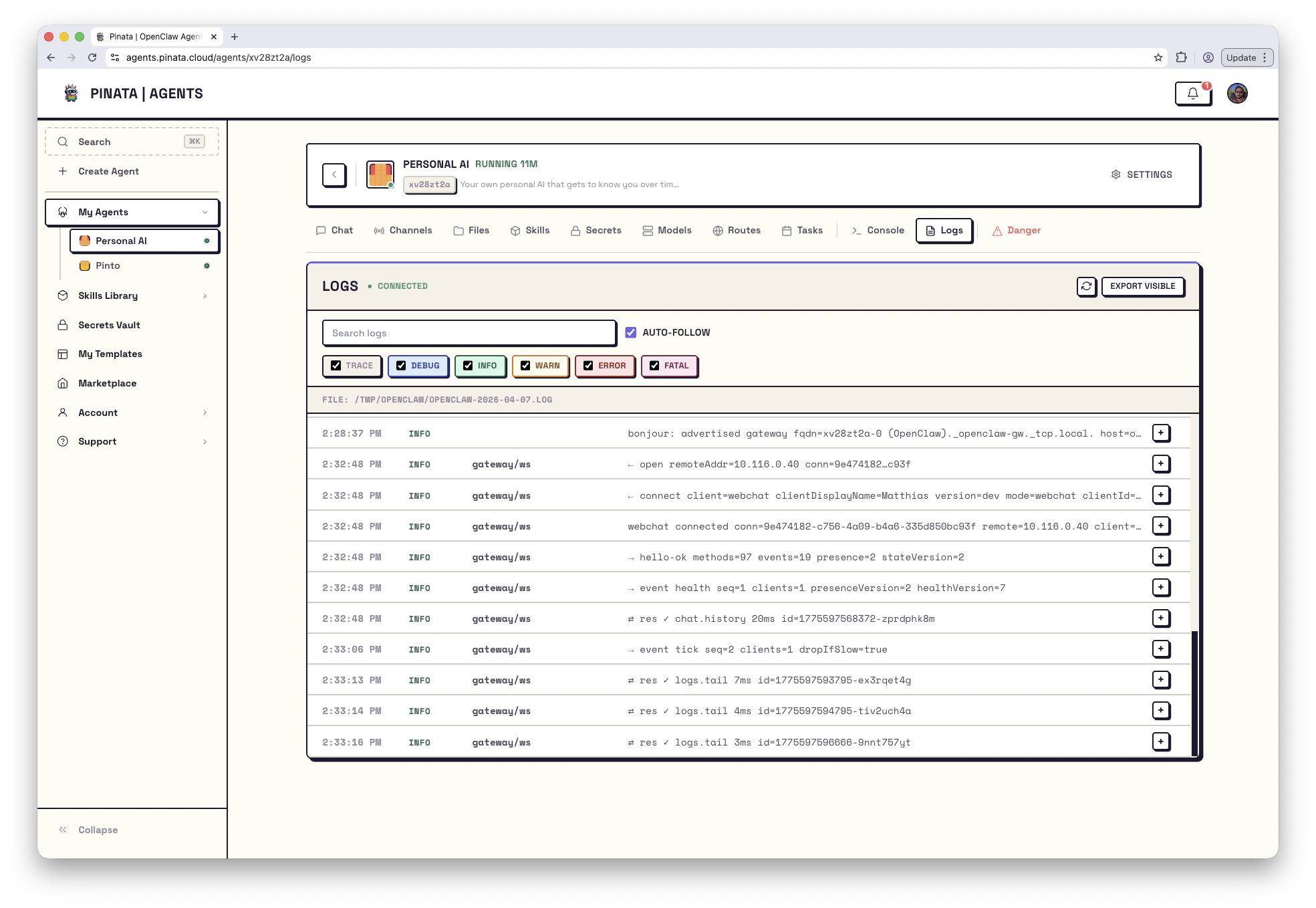
The Logs tab is a live stream of what OpenClaw is doing inside your agent. New entries appear without refreshing — the tab uses a WebSocket under the hood. If the small status badge in the header reads WEBSOCKET CONNECTED, you’re streaming. If it reads WEBSOCKET NOT CONNECTED, either the agent isn’t running or the connection dropped — hit the refresh button or check the agent’s status.
Image

Reading the stream

Each log line has four parts:
  • Timestamp — when it happened
  • Level — severity (TRACE, DEBUG, INFO, WARN, ERROR, FATAL)
  • Source — which component generated the line (e.g. gateway/reload, cron/runner)
  • Message — the content
Click the + on the left of any row to expand it. Useful for stack traces and structured fields that don’t fit on a single line.

Filtering

The six colored checkboxes — TRACE, DEBUG, INFO, WARN, ERROR, FATAL — toggle log levels on and off. When you’re hunting a problem, uncheck everything except WARN and above to cut the noise. The Search logs box does a substring match against the message. Combine with level filters: “show me ERROR lines mentioning telegram.” The AUTO-FOLLOW checkbox keeps the view pinned to the latest entry. Uncheck it when you want to scroll back without the view jumping.

Exporting

EXPORT VISIBLE downloads whatever the current filters are showing — useful for sharing with support or filing an issue. It’s only what you see; the export respects your filters.

Where the logs live on disk

Inside the container, OpenClaw writes daily log files to /tmp/openclaw/openclaw-{date}.log. From the Console:
ls /tmp/openclaw/
tail -f /tmp/openclaw/openclaw-$(date +%Y-%m-%d).log
That’s identical to what the Logs tab streams, with one difference: only the last 100 lines are retained when the gateway restarts. If you need long-term retention, export periodically.

Reading logs over the API

For scripts and incident response:
curl -H "Authorization: Bearer $PINATA_JWT" \
  https://agents.pinata.cloud/v0/agents/$AGENT_ID/logs
Returns the latest 100 lines as a single string. For full streaming, the UI uses a WebSocket on the agent’s subdomain — see API → Streaming logs.

Common sources, and what they tell you

SourceWhat it means
gateway/reloadGateway reloaded its configuration — usually after a secret, skill, or channel change
gateway/wsWebSocket lifecycle (connect, disconnect, reconnect)
cron/runnerA scheduled task fired — which one, and what happened
agent/turnOne conversation turn — request in, response out
skill/<name>Output from a specific skill
script/build, script/startLifecycle script output (also tee’d to /tmp/user-build.log and /tmp/user-start.log)
If something’s broken, start at ERROR. If you see ERROR lines and can’t make sense of them, Troubleshooting maps symptoms to fixes, and the Error reference covers common API error responses.